mbeva
Introduction
The ESP32 has become one of the most popular microcontroller platforms for students, electronics enthusiasts, robotics developers, and Internet of Things (IoT) innovators.
Unlike traditional Arduino boards that require additional wireless modules for internet connectivity, most ESP32 development boards come with built-in Wi-Fi and Bluetooth capabilities. This makes them suitable for developing smart home systems, automated agriculture projects, security devices, wireless monitoring systems, and advanced Kenya Science and Engineering Fair (KSEF) innovations.
Whether you are a beginner learning electronics or an experienced developer building an intelligent automation system, choosing the right ESP32 board can significantly affect your project’s performance and cost.
The good news is that ESP32 development boards are available in Kenya from approximately KSh 700 to over KSh 3,000, depending on the processor, memory, connectivity, camera support, and board configuration.
This guide compares 10 ESP32 development board options, explains their features, provides indicative Kenyan prices, and identifies where you can purchase them.
Quick Answer: Which ESP32 Board Should You Buy?
If you want a quick recommendation:
- Best overall: ESP32 DevKit V1 (ESP32-WROOM-32).
- Best for advanced IoT: ESP32-S3 DevKitC-1.
- Best budget option: ESP32-C3 SuperMini.
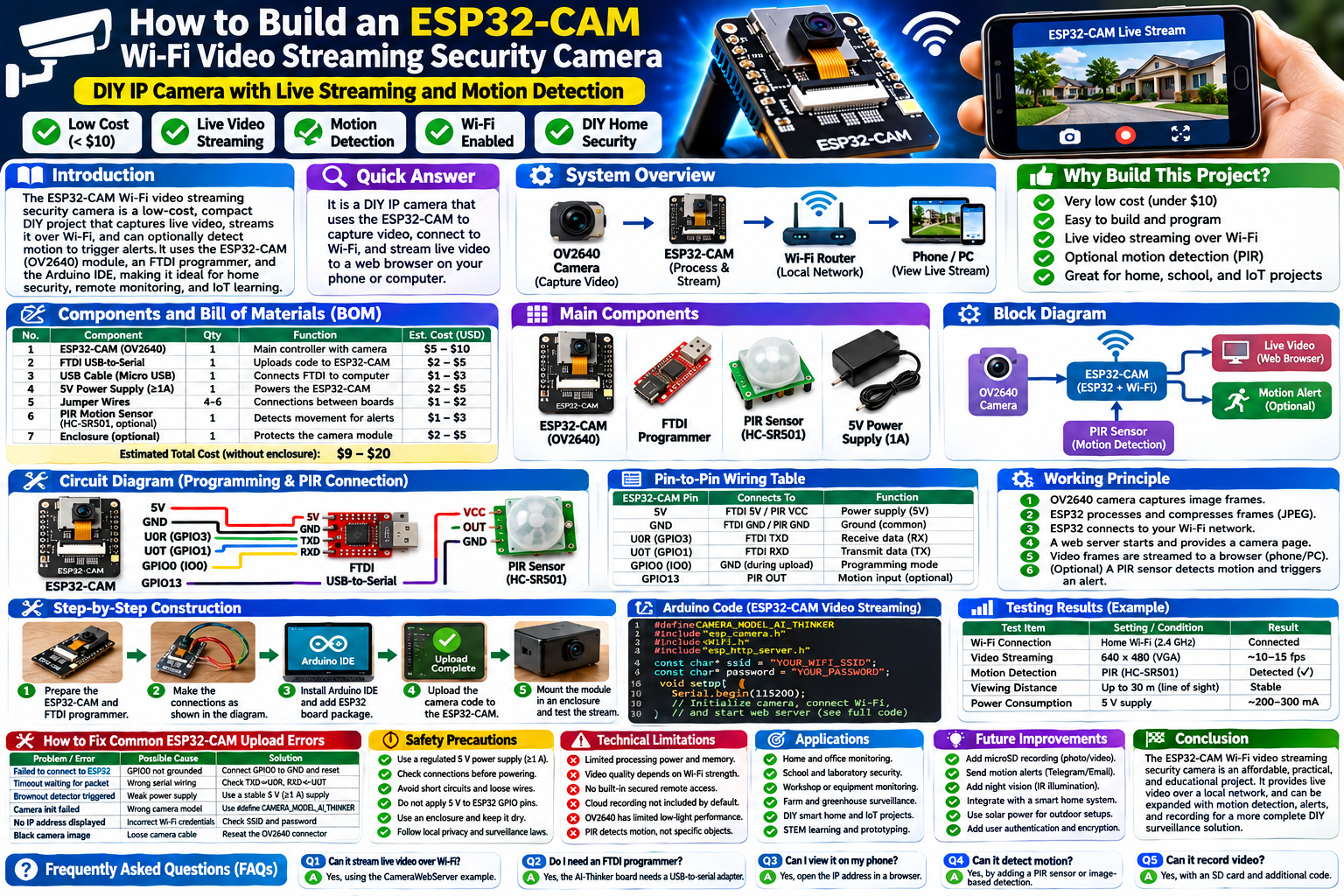
- Best for wireless cameras: ESP32-CAM with OV2640.
- Best for Wi-Fi 6 and emerging IoT applications: ESP32-C6.
- Best for wearable and compact projects: ESP32-S2 Mini or ESP32-C3 SuperMini.
For most school STEM projects, Arduino-compatible IoT systems, and KSEF innovations, the standard ESP32 DevKit is an excellent starting point.
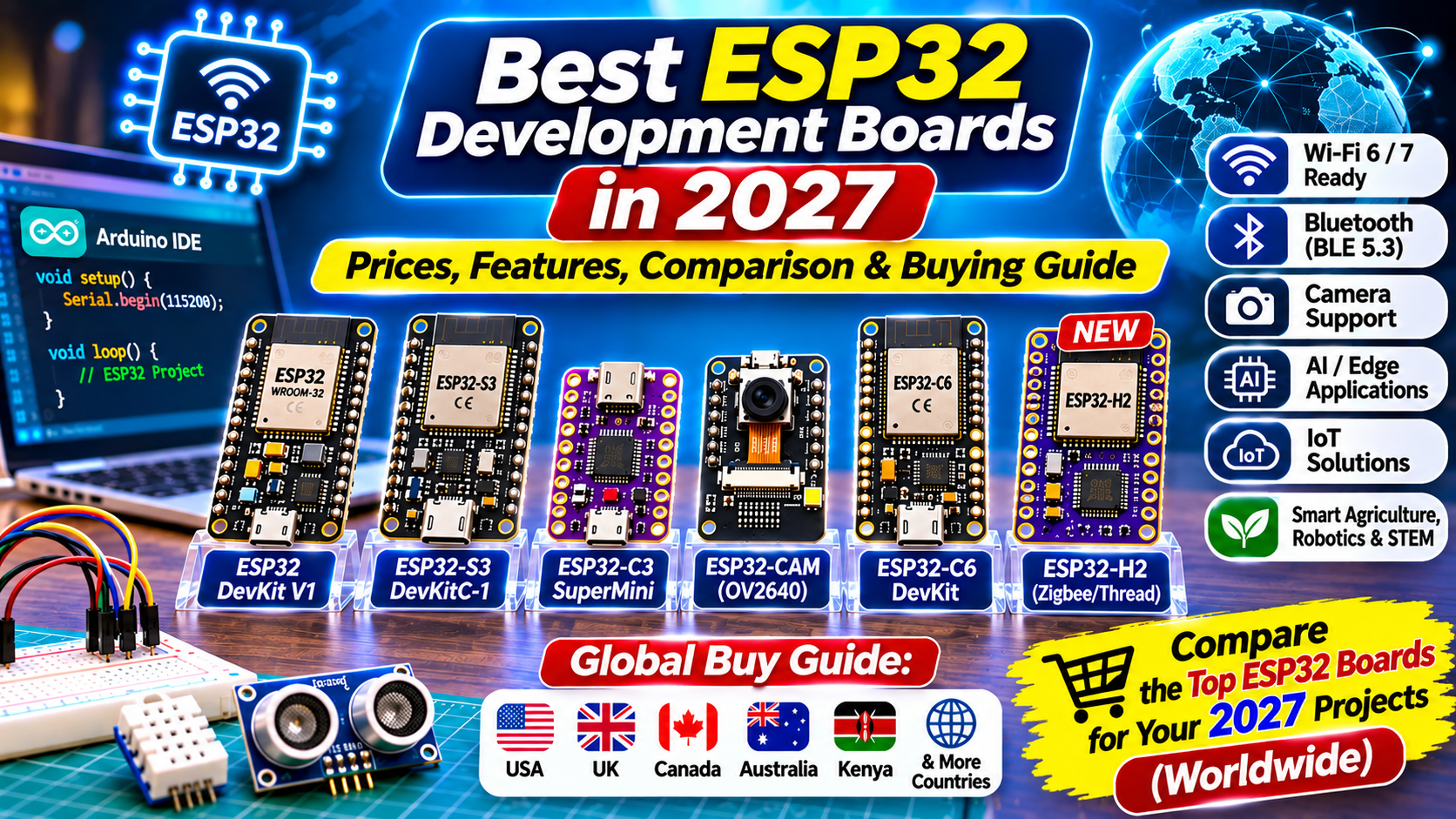
1. Top 10 Best ESP32 Development Boards in 2026


The following comparison includes popular ESP32 families and development-board configurations available from electronics suppliers.
| ESP32 board | Main features | Indicative Kenya price | Best application |
|---|---|---|---|
| ESP32 DevKit V1 | Dual-core, Wi-Fi, Bluetooth | KSh 1,300–1,500 | General IoT |
| ESP32 DevKit 38-pin | More GPIO access | KSh 1,500 | Robotics and automation |
| ESP32-S3 DevKitC-1 | Dual-core, USB, advanced memory options | KSh 1,500–2,500 | Advanced IoT and AI |
| ESP32-C3 SuperMini | Compact RISC-V, Wi-Fi, BLE | KSh 700–1,300 | Budget projects |
| ESP32-CAM | OV2640 camera, Wi-Fi | KSh 1,500–2,500 | Surveillance |
| ESP32-C6 DevKit | Wi-Fi 6, BLE 5.3, 802.15.4 | KSh 1,400–1,500 | Modern connected devices |
| ESP32-S2 Mini | Compact Wi-Fi board | KSh 1,200 | USB and Wi-Fi projects |
| LOLIN32 | ESP32 wireless development board | KSh 1,500–1,800 | Portable IoT |
| TTGO ESP32 OLED | Integrated OLED display | KSh 2,500 | Portable monitoring |
| Freenove ESP32-S3 CAM | Camera and expanded memory configurations | KSh 2,750–3,100 | Vision-based projects |
Prices are indicative online Kenyan listings observed during research on November 3, 2026. They are not guaranteed quotations. Confirm the exact module, memory configuration, stock, shipping, and seller warranty before purchasing. Bluepack Nova +5
1. ESP32 DevKit V1 – Best Overall Development Board

Best overall
The ESP32 DevKit V1 is among the most practical choices for learners, teachers, and electronics developers.
It is commonly built around the ESP32-WROOM-32 module and provides Wi-Fi and Bluetooth connectivity, a dual-core processor, digital input/output pins, analog inputs, PWM, and communication interfaces.
Main features
- Dual-core Xtensa LX6 processor, up to 240 MHz.
- 2.4 GHz Wi-Fi connectivity.
- Bluetooth Classic and Bluetooth Low Energy.
- GPIO pins for connecting sensors and actuators.
- ADC, PWM, SPI, I2C, and UART interfaces.
- USB-to-serial programming interface on typical development boards.
Recommended projects
- Automatic water tank level controller.
- Smart agriculture monitoring system.
- Wi-Fi-based home automation.
- Wireless temperature monitoring.
- Smart security alarm.
- Bluetooth-controlled robotic car.
Estimated price: KSh 1,300–1,500.
This board is particularly suitable for learners transitioning from Arduino Uno to wireless electronics development.
2. ESP32-S3 DevKitC-1 – Best for Advanced IoT and AI Projects

Advanced projects
The ESP32-S3 is a powerful development platform designed for more demanding embedded applications.
It uses a dual-core Xtensa LX7 processor and supports vector instructions that can accelerate certain signal-processing and machine-learning workloads.
Some configurations include additional PSRAM, making them suitable for applications involving image processing, larger buffers, and more complex programs.
Main features
- Dual-core processor operating up to 240 MHz.
- 2.4 GHz Wi-Fi.
- Bluetooth Low Energy 5.
- USB OTG support.
- GPIO, ADC, SPI, I2C, and UART interfaces.
- Configurations with substantial flash memory and PSRAM.
Recommended projects
- AI-assisted object recognition.
- Smart air-quality monitoring.
- Voice-controlled automation.
- ESP32-based camera systems.
- Intelligent security monitoring.
- Advanced agricultural monitoring.
Estimated price: KSh 1,500–2,500, depending on the board and memory configuration.
For a KSEF project involving image processing or advanced IoT functionality, the ESP32-S3 is worth considering.
3. ESP32-C3 SuperMini – Best Budget ESP32 Board
The ESP32-C3 SuperMini is a compact and affordable development board.
It uses a single-core 32-bit RISC-V processor and provides Wi-Fi and Bluetooth Low Energy connectivity. Its small footprint makes it particularly useful for projects where installation space is limited.
Main features
- Single-core RISC-V processor up to 160 MHz.
- 2.4 GHz Wi-Fi.
- Bluetooth Low Energy 5.
- Compact PCB design.
- USB programming on supported variants.
- Low-cost embedded development.
Recommended projects
- Wireless temperature sensors.
- Smart plant monitoring.
- Miniature security systems.
- Bluetooth sensor devices.
- Small home automation controllers.
Estimated price: KSh 700–1,300.
It is an excellent choice for students who want to develop several affordable wireless prototypes.
4. ESP32-CAM – Best for Wireless Camera Projects

The ESP32-CAM combines a microcontroller with a camera interface, allowing developers to build compact wireless imaging systems.
Many common versions come with an OV2640 camera sensor. Some variants also include a microSD card slot for image storage.
Main features
- Integrated ESP32 microcontroller.
- OV2640 camera support on common versions.
- Wi-Fi connectivity.
- Bluetooth capability.
- MicroSD card support on supported boards.
- Compact design.
Recommended projects
- Wireless surveillance camera.
- Smart visitor monitoring.
- Plant growth image monitoring.
- Remote wildlife observation.
- Face-detection demonstrations.
- Automated animal monitoring.
Estimated price: KSh 1,500–2,500, depending on whether a programmer board and accessories are included.
One important consideration: the standard ESP32-CAM often lacks an onboard USB-to-serial interface. You may need an FTDI programmer or an ESP32-CAM-MB programming adapter.
5. ESP32-C6 – Best for Modern IoT Connectivity

The ESP32-C6 is designed for modern connected-device applications.
Unlike the original ESP32, the C6 supports Wi-Fi 6 on the 2.4 GHz band, Bluetooth Low Energy 5.3, and IEEE 802.15.4 technologies used by ecosystems such as Thread and Zigbee.
Main features
- 32-bit RISC-V processor.
- Wi-Fi 6 (2.4 GHz).
- Bluetooth Low Energy 5.3.
- IEEE 802.15.4 support.
- Modern IoT networking capabilities.
Recommended projects
- Smart home automation.
- Connected environmental sensors.
- Thread-based IoT demonstrations.
- Wireless energy monitoring.
- Smart building systems.
Estimated price: KSh 1,000–1,500 for selected development-board variants.
This board is particularly interesting for developers exploring modern smart-home networking.
6. ESP32-S2 Mini – Best for Compact USB Projects

The ESP32-S2 Mini is a small development board designed for compact embedded applications.
It is based on the ESP32-S2 chip, which provides Wi-Fi connectivity and USB functionality but does not include Bluetooth.
Main features
- Single-core Xtensa LX7 processor.
- 2.4 GHz Wi-Fi.
- Native USB support.
- Compact development-board design.
- GPIO and ADC interfaces.
- Low-power operating modes.
Recommended projects
- USB-controlled electronics.
- Smart environmental monitoring.
- Compact Wi-Fi sensors.
- Internet-connected displays.
- Small automation devices.
Estimated price: KSh 1,200.
Choose this board when you need Wi-Fi and USB functionality without Bluetooth.
7. LOLIN32 – Best for Portable IoT Projects

The LOLIN32 is a development-board family built around the ESP32 platform. Some variants include battery charging or battery connection features.
It is suitable for projects that require wireless communication and compact installation.
Main features
- ESP32-based processing.
- Wi-Fi and Bluetooth on classic ESP32 variants.
- GPIO connectivity.
- Battery-oriented variants.
- Arduino IDE compatibility.
Recommended projects
- Portable weather stations.
- Wireless agricultural sensors.
- Smart plant monitoring.
- Battery-powered data loggers.
- Mobile IoT devices.
Estimated price: KSh 1,500–1,800.
Always check the exact LOLIN32 version because battery-management features differ between models.
8. TTGO ESP32 OLED – Best for Projects Requiring Displays

The TTGO ESP32 OLED is a convenient development board that combines an ESP32 microcontroller with an integrated OLED display.
This reduces the number of external components required when creating monitoring systems.
Main features
- ESP32 wireless processing.
- Integrated OLED display.
- Wi-Fi and Bluetooth on supported variants.
- GPIO connections.
- Compact development platform.
Recommended projects
- Digital weather stations.
- Smart energy meters.
- Portable temperature monitors.
- Wireless sensor dashboards.
- IoT information displays.
Estimated price: KSh 2,500.
It is particularly useful for demonstrations where learners need to display real-time sensor readings without connecting a separate LCD.
9. Freenove ESP32-S3 CAM – Best for Advanced Camera Applications

The Freenove ESP32-S3 CAM is an advanced camera-oriented development platform.
Depending on the version, it offers additional flash memory and PSRAM for applications that require larger image buffers and more complex processing.
Main features
- ESP32-S3 processing.
- Camera connectivity.
- Wi-Fi.
- Bluetooth Low Energy.
- Memory configurations suitable for image applications.
- Support for embedded development environments.
Recommended projects
- Wildlife observation systems.
- Smart security cameras.
- Computer vision demonstrations.
- Plant disease image monitoring.
- Remote photographic monitoring.
Estimated price: KSh 2,750–3,100 for the listed 8 MB and 16 MB configurations.
Check whether the camera is included in the package and verify the exact memory specification before ordering. Ivyliam Gadgets Ltd
10. ESP32 DevKit 38-Pin – Best for Projects Requiring More GPIO Access

The 38-pin ESP32 development board is a popular choice for electronics projects requiring access to multiple input and output connections.
It is commonly built around the ESP32-WROOM-32 family.
Main features
- Dual-core ESP32 processor.
- Wi-Fi and Bluetooth.
- Expanded GPIO breakout.
- ADC and PWM support.
- SPI, I2C, and UART communication.
- USB programming interface on supported versions.
Recommended projects
- Multi-sensor agriculture systems.
- Automated irrigation.
- Smart water quality monitoring.
- Robotics.
- Multiple relay control systems.
Estimated price: KSh 1,500.
It is important to remember that 38 physical pins do not mean all 38 are independently usable GPIOs. Some pins have special functions, input-only limitations, or boot restrictions.
2. Where to Buy ESP32 Development Boards in Kenya
There are several electronics suppliers and online marketplaces where you can compare ESP32 development boards.

1. K-TECHNICS
Offers ESP32 DevKit boards, ESP32-S3, ESP32-C3, and ESP32-CAM modules.
Listed examples: KSh 700–2,500.
Shop ESP32 boards at K-TECHNICS

2. Bluepack Nova
Stocks ESP32 DevKit, ESP32-S3, ESP32-CAM, and other development boards.
Listed examples: KSh 1,200–2,200.

3. ASK Electronics
Offers ESP32-C6, ESP32-CAM, and ESP32 module accessories.
Listed examples: KSh 400–1,500 depending on variant.

4. ArduinoTech Kenya
Stocks ESP32 development boards, ESP32-CAM, and ESP32-C3 SuperMini.
Listed examples: KSh 600–1,500 for selected ESP32 products.

5. Jumia Kenya
Provides marketplace listings for ESP32-WROOM, ESP32-S3, ESP32-C3, and ESP32-CAM.
Listed examples: approximately KSh 800–2,500 for selected products.
Compare ESP32 products on Jumia
Buying advice: Check seller reviews, delivery charges, USB cable inclusion, board authenticity, and return policies. The cheapest listing is not necessarily the best purchase.
3. ESP32 vs Arduino Uno: Which Is Better?


Arduino Uno and ESP32 are both useful platforms, but they serve different development needs.
| Feature | Arduino Uno R3 | ESP32 DevKit |
|---|---|---|
| Main processor | ATmega328P | ESP32 |
| Processor speed | 16 MHz | Up to 240 MHz |
| Wi-Fi | Not built in | Built in |
| Bluetooth | Not built in | Built in on classic ESP32 |
| Operating logic | 5 V | 3.3 V |
| Wireless IoT | Requires extra hardware | Built-in connectivity |
| GPIO | 14 digital pins | Varies by board |
| ADC | 10-bit | Up to 12-bit hardware ADC, model dependent |
| Best use | Basic electronics | Wireless and advanced IoT |
Which should you choose?
Choose Arduino Uno if you are learning basic electronics, digital circuits, and introductory programming.
Choose ESP32 if your project requires wireless communication, remote monitoring, internet connectivity, or more processing capability.
One critical difference is voltage compatibility. ESP32 GPIO pins operate at 3.3 V and are generally not 5 V tolerant. Do not connect 5 V sensor outputs directly to ESP32 GPIO pins without suitable level shifting or voltage protection.
4. What You Need to Start an ESP32 Project
Buying an ESP32 board is only the first step. You also need sensors, connecting wires, a power supply, and development software.

Bill of Materials (BOM)
| Component | Purpose | Estimated cost |
|---|---|---|
| ESP32 DevKit V1 | Main controller | KSh 1,400 |
| Breadboard | Circuit assembly | KSh 200 |
| Jumper wires | Electrical connections | KSh 150 |
| LED pack | Visual indicators | KSh 100 |
| Resistors | Current limiting | KSh 100 |
| DHT22 sensor | Temperature and humidity | KSh 350 |
| USB cable | Programming and power | KSh 200 |
| Estimated total | KSh 2,500 |
Illustrative budgeting estimates, not verified supplier quotations. Actual prices vary.
Software Required
You can program an ESP32 using:
- Arduino IDE.
- ESP-IDF.
- PlatformIO.
- MicroPython.
For beginners, Arduino IDE is a practical starting point because it provides a familiar programming environment and supports many ESP32 libraries.
5. How to Connect an ESP32 to a Temperature Sensor
A simple temperature-monitoring project is an excellent starting point for learning ESP32 programming.
For this demonstration, use an ESP32 DevKit V1 and a DHT22 sensor.

Connection Table
| DHT22 pin | ESP32 connection |
|---|---|
| VCC | 3V3 |
| DATA | GPIO 4 |
| GND | GND |
For a bare four-pin DHT22 sensor, use the recommended pull-up resistor between DATA and VCC, commonly 10 kΩ. Many DHT22 breakout modules already include one.
Basic Arduino IDE Code
Install the Adafruit DHT sensor library and its required Adafruit Unified Sensor dependency.
#include "DHT.h"

#define DHTPIN 4
#define DHTTYPE DHT22

DHT dht(DHTPIN, DHTTYPE);

void setup() {
  Serial.begin(115200);
  dht.begin();
}

void loop() {
  float temperature = dht.readTemperature();
  float humidity = dht.readHumidity();

  if (isnan(temperature) || isnan(humidity)) {
    Serial.println("Sensor reading failed!");
    delay(2000);
    return;
  }

  Serial.print("Temperature: ");
  Serial.print(temperature);
  Serial.println(" °C");

  Serial.print("Humidity: ");
  Serial.print(humidity);
  Serial.println(" %");

  delay(2000);
}
Expected Output
ESP32 Serial Monitor
Example output
Temperature: 25.60 °C
Humidity: 61.00 %
Temperature: 25.70 °C
Humidity: 61.20 %
Illustrative readings, not actual experimental measurements.
Once this works, you can extend the project by connecting an OLED display, a Wi-Fi dashboard, or an additional environmental sensor.
6. How to Choose the Right ESP32 Board Before Buying
Before purchasing an ESP32 development board, consider the following factors.
A. Processor performance
Different ESP32 families use different processor architectures and performance levels. The original ESP32 and ESP32-S3 are dual-core options, while the ESP32-C3 uses a single-core RISC-V processor.
B. Available memory
Memory determines how much program data, images, and temporary information your application can handle.
For camera and machine-learning projects, consider boards with PSRAM.
C. Wireless connectivity
Check whether your application requires:
- Wi-Fi.
- Bluetooth Classic.
- Bluetooth Low Energy.
- Wi-Fi 6.
- Thread or Zigbee-compatible connectivity.
Not every ESP32 family supports all these technologies. Check the manufacturer’s datasheet before purchasing. Espressif Systems +3
D. GPIO availability
If your project involves several sensors, motors, relays, and displays, choose a board with sufficient accessible GPIO pins.
E. Programming interface
USB Type-C is convenient, but check whether the board has an integrated USB-to-serial converter or native USB support. Some boards require additional programming hardware.
7. Best ESP32 Boards for KSEF and School STEM Projects
ESP32 development boards provide opportunities for learners to develop practical solutions to real-world problems.
Here are some project ideas suitable for school STEM exhibitions and innovation competitions.


| STEM project | Recommended board | Additional components |
|---|---|---|
| Smart agriculture monitoring | ESP32 DevKit | Soil moisture sensor, DHT22 |
| Automated water tank controller | ESP32 DevKit | Ultrasonic sensor, relay, LCD |
| Smart air-quality monitoring | ESP32-S3 | Gas sensors, display |
| Wireless security camera | ESP32-CAM | OV2640 camera |
| Smart greenhouse | ESP32 DevKit | Temperature, humidity and soil sensors |
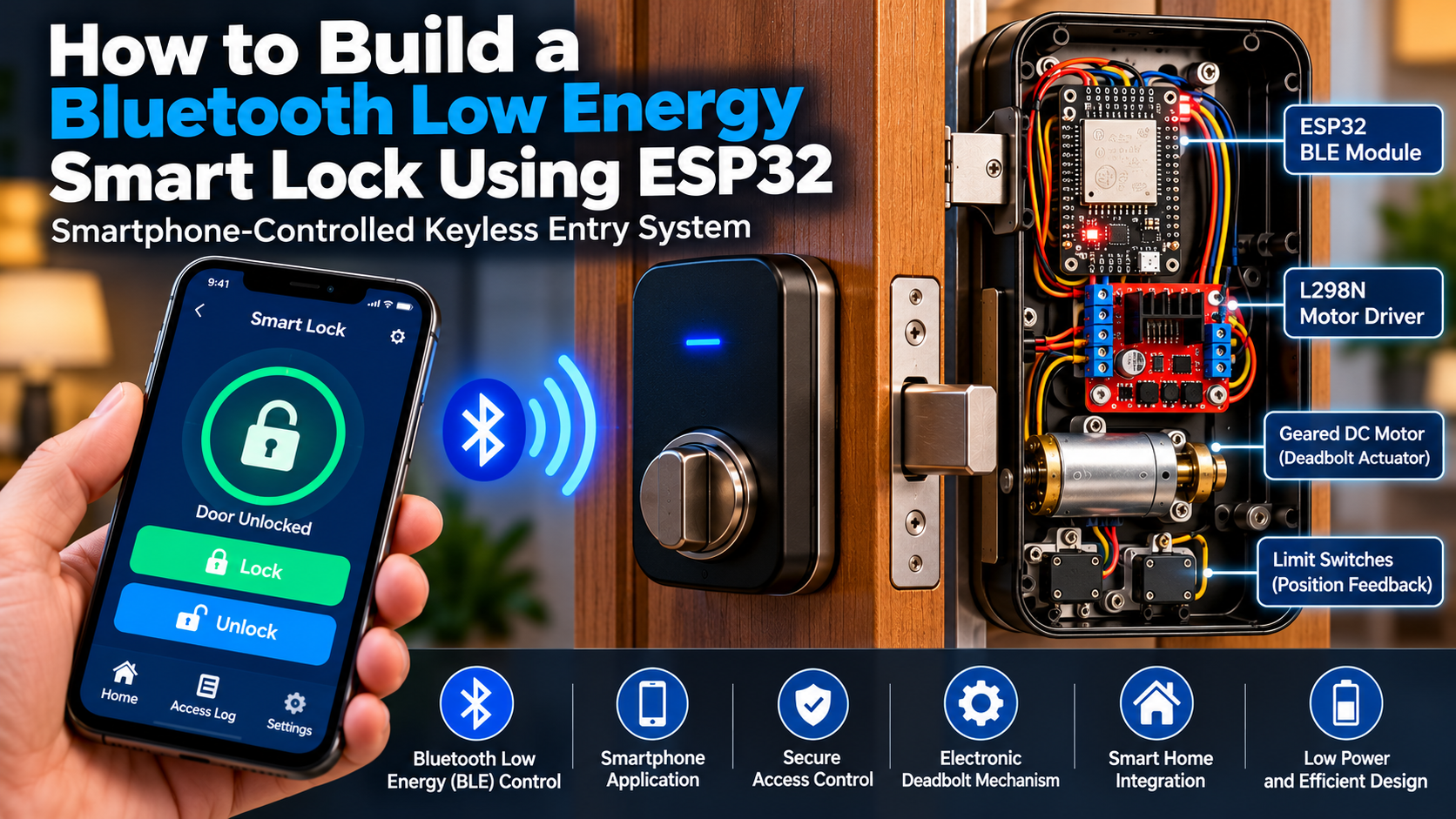
| Bluetooth smart lock | ESP32 DevKit | Relay, electronic lock |
| Intelligent waste monitoring | ESP32-S3 | Ultrasonic sensor, camera |
| Smart weather station | ESP32 DevKit | BME280, OLED |
For Kenyan schools participating in KSEF, these projects can be developed further by including research questions, objectives, experimental procedures, collected data, analysis, and evaluation.
The important thing is to demonstrate an actual problem-solving innovation rather than simply assembling electronic components.
8. How to Fix Common ESP32 Upload Errors
Beginners sometimes encounter programming errors when uploading code to an ESP32 using Arduino IDE.
Here are some common problems and their solutions.
| Error | Possible cause | Solution |
|---|---|---|
| Failed to connect to ESP32 | Board not entering download mode | Hold BOOT while uploading if required |
| COM port not detected | Missing USB driver or faulty cable | Install the correct driver and use a data cable |
| Timed out waiting for packet header | Incorrect boot mode or wiring | Check BOOT/EN and disconnect interfering peripherals |
| Brownout detector triggered | Unstable power supply | Use a suitable regulated supply |
| Compilation error | Missing library | Install the required library |
| Device keeps restarting | Power or firmware problem | Check power stability and serial logs |
| Sensor returns NAN | Incorrect wiring or sensor configuration | Check GPIO, sensor type and pull-up resistor |
Important ESP32 Programming Tips
- Select the correct ESP32 board in Arduino IDE.
- Select the correct serial port.
- Check that your USB cable supports data transfer.
- Use a stable power supply.
- Disconnect external circuits that interfere with boot pins during programming.
- Confirm that your installed libraries support your board and code.
9. Frequently Asked Questions (FAQs)
Q1. What is the cheapest ESP32 board in Kenya?
The ESP32-C3 SuperMini is among the affordable options, with selected Kenyan listings around KSh 700–1,300.
Q2. Which ESP32 is best for beginners?
The ESP32 DevKit V1 is a good starting point because it has extensive learning resources, GPIO connections, Wi-Fi, Bluetooth, and broad Arduino IDE support.
Q3. Can ESP32 replace Arduino Uno?
Yes, for many applications. However, ESP32 uses 3.3 V logic, whereas Arduino Uno R3 uses 5 V logic. Some Arduino shields and sensors therefore require voltage adaptation.
Q4. Can I program ESP32 using Arduino IDE?
Yes. Install Espressif’s Arduino-ESP32 board package and select the appropriate board before uploading your program.
Q5. Does ESP32 require internet to work?
No. You can use ESP32 without an internet connection for standalone sensor monitoring, automation, robotics, and Bluetooth applications.
Q6. Can ESP32 connect to a mobile phone?
Yes. Depending on the model, it can communicate with smartphones using Wi-Fi or Bluetooth.
Q7. Which ESP32 is best for AI projects?
The ESP32-S3 is a strong option for embedded AI applications, particularly when paired with suitable PSRAM and optimized machine-learning models. It is not a replacement for a full desktop AI computer.
Q8. Can ESP32 run on a battery?
Yes. ESP32 boards can operate from suitable battery-powered power systems. However, the board’s regulator, wireless activity, peripherals, and sleep configuration affect battery life.
Q9. Where can I buy ESP32 boards in Nairobi?
You can compare products from Kenyan electronics retailers such as K-TECHNICS, Bluepack Nova, ASK Electronics, and ArduinoTech Kenya, as well as online marketplaces.
Q10. What is the difference between ESP32 and ESP32-S3?
The ESP32-S3 uses a newer dual-core Xtensa LX7 architecture and supports USB OTG and vector instructions. The original ESP32 offers Bluetooth Classic and BLE, while the ESP32-S3 supports BLE but not Bluetooth Classic.
10. Final Verdict: Which ESP32 Development Board Is Worth Buying?
The best board depends on the project you want to build.
| Your requirement | Recommended board |
|---|---|
| First ESP32 project | ESP32 DevKit V1 |
| Affordable electronics experiments | ESP32-C3 SuperMini |
| Advanced AI and IoT | ESP32-S3 |
| Wireless camera | ESP32-CAM |
| Modern smart-home networking | ESP32-C6 |
| Portable display project | TTGO ESP32 OLED |
For most beginners, teachers, and KSEF innovators, I recommend starting with an ESP32 DevKit V1. It offers a good balance between affordability, programming support, wireless connectivity, and project flexibility.
If you are developing more advanced applications involving cameras, image processing, and intelligent automation, consider upgrading to the ESP32-S3.
The most important buying principle is to select a board based on your project requirements rather than simply purchasing the most expensive ESP32 available.
Where to Learn More About ESP32 Projects
At CreatorsInsight.com, we aim to help students, teachers, hobbyists, and innovators turn electronics ideas into practical working projects.
Explore more tutorials covering:
- Arduino and ESP32 programming.
- IoT and smart agriculture.
- Robotics and automation.
- Electronics and circuit design.
- KSEF STEM innovation projects.
- Artificial intelligence and embedded systems.
Conclusion
ESP32 development boards have made wireless electronics and IoT development more accessible to students, teachers, and technology enthusiasts.
With affordable options available in Kenya, learners can now develop intelligent systems without investing in expensive computing hardware.
Whether you choose the ESP32 DevKit V1, ESP32-S3, ESP32-CAM, or ESP32-C3 SuperMini, the platform provides an excellent foundation for developing practical technology solutions.
Start with a simple project, understand the electronics, test your code, and gradually develop more advanced applications.
Visit CreatorsInsight.com for more practical electronics tutorials, STEM project guides, and technology buying advice.