mbeva
mbeva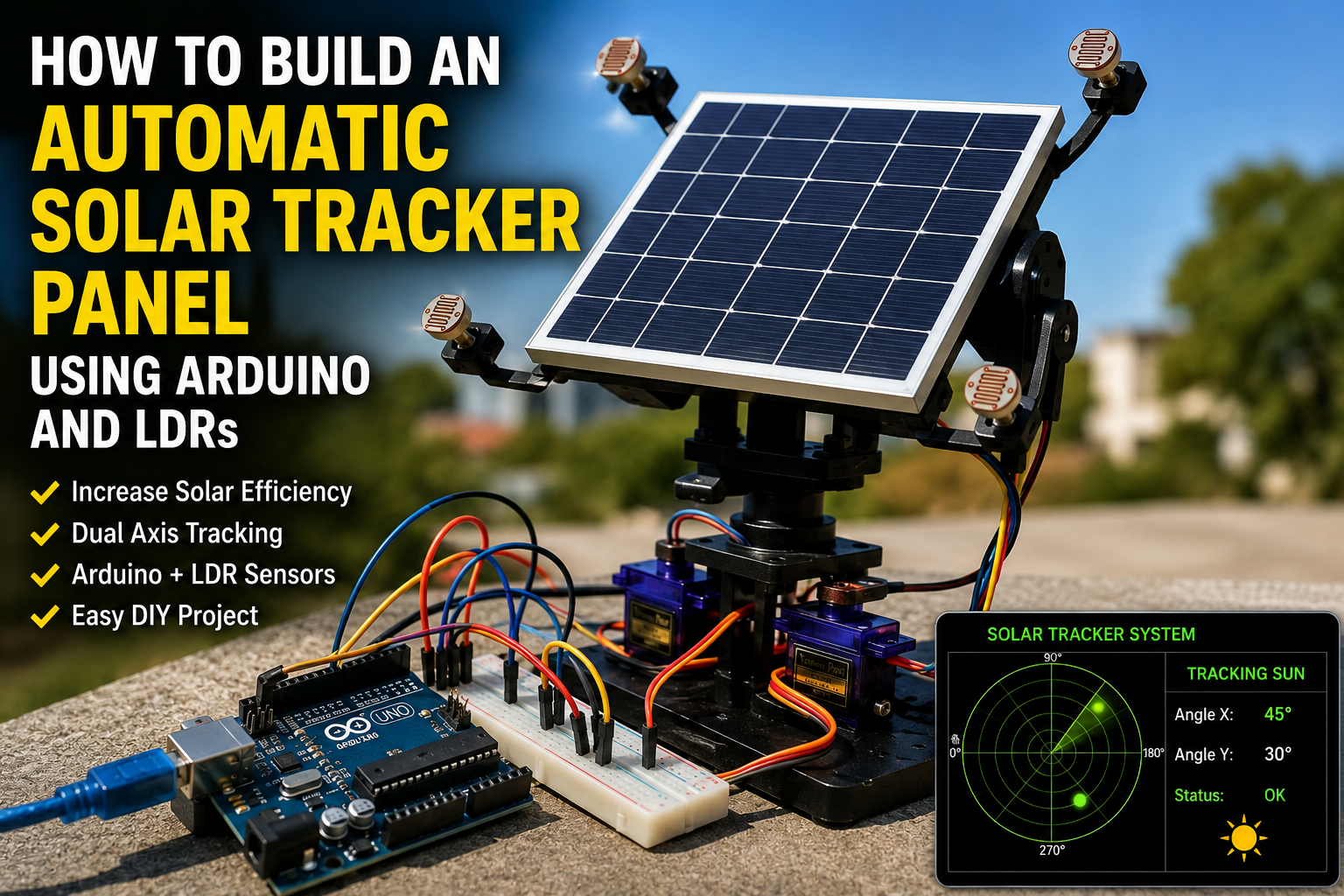
Meta Description: Learn how to build an automatic solar tracker panel using Arduino and LDR sensors. Includes wiring diagrams, bill of materials, code overview, troubleshooting tips, and step-by-step instructions.
Automatic solar trackers increase the efficiency of solar panels by continuously adjusting their position to face the sun throughout the day. By ensuring that sunlight strikes the panel at the optimal angle, a solar tracker can improve energy collection compared to fixed solar installations.
This project combines renewable energy concepts with electronics, programming, and automation, making it ideal for STEM education, science fairs, and practical home energy experiments.
Quick Answer: Arduino Solar Tracker Wiring Diagram
If you want to start building immediately, follow this connection map.
| Component | Pin | Arduino Uno Pin |
|---|---|---|
| LDR 1 | Output | A0 |
| LDR 2 | Output | A1 |
| LDR 3 | Output | A2 |
| LDR 4 | Output | A3 |
| SG90 Servo Motor (Horizontal) | Signal | D9 |
| SG90 Servo Motor (Vertical) | Signal | D10 |
| LDR Voltage Divider | VCC | 5V |
| LDR Voltage Divider | GND | GND |
System Workflow:
Sunlight → LDR Sensors → Arduino → Servo Motors → Solar Panel Alignment


Quick Tip: Position the four LDRs around a small cross-shaped barrier to create separate light zones. The Arduino compares light intensity differences and rotates the panel toward the brightest direction.
Why Build an Automatic Solar Tracker?
Traditional solar panels are mounted at fixed angles, meaning they only receive maximum sunlight for a limited period each day.
An automatic tracker follows the sun’s movement from east to west, improving energy capture.
Benefits include:
- Increased solar energy generation
- Better understanding of renewable energy systems
- Practical experience with sensors and automation
- Reduced energy losses
- Ideal for school STEM projects
This project demonstrates real-world applications of mechatronics and sustainable technology.
How Does an Arduino Solar Tracker Work?
The system relies on four main components:
Light Dependent Resistors (LDRs)
LDRs change their electrical resistance according to light intensity.
Arduino Microcontroller
The Arduino continuously reads values from the LDRs and determines the direction of maximum sunlight.
Servo Motors
Servo motors adjust the panel’s orientation horizontally and vertically.
Solar Panel
The panel collects sunlight more efficiently when it directly faces the sun.
When one side receives more light than another, the Arduino rotates the servos until all LDR readings become balanced.


Bill of Materials (BOM)
| Component | Quantity | Purpose |
|---|---|---|
| Arduino Uno or Nano | 1 | Main controller |
| Mini Solar Panel | 1 | Converts sunlight to electricity |
| LDR Sensors | 4 | Detect sunlight intensity |
| 10 kΩ Resistors | 4 | Create voltage dividers |
| SG90 Servo Motors | 2 | Control panel movement |
| Breadboard | 1 | Circuit assembly |
| Jumper Wires | 20+ | Electrical connections |
| Mounting Frame | 1 | Holds panel and sensors |
| USB Cable | 1 | Programming and power |
| External 5V Power Supply | 1 | Powers servo motors |
Estimated Cost
| Item | Approximate Cost (USD) |
|---|---|
| Arduino Uno | $8–15 |
| LDR Sensors | $2–5 |
| Servo Motors | $6–10 |
| Solar Panel | $5–15 |
| Miscellaneous Parts | $5–10 |
Total Estimated Cost: $26–55
Circuit Connections Explained
LDR Sensor Connections
Each LDR forms a voltage divider with a 10 kΩ resistor.
- LDR 1 → A0
- LDR 2 → A1
- LDR 3 → A2
- LDR 4 → A3
Servo Motor Connections
- Horizontal Servo Signal → D9
- Vertical Servo Signal → D10
- VCC → External 5V
- GND → Common GND
Important: Power servo motors using an external power supply. Avoid drawing servo current directly from the Arduino board.


Step-by-Step Guide: How to Build an Automatic Solar Tracker Panel Using Arduino and LDRs
Step 1: Build the Sensor Assembly
Arrange the four LDRs in a square pattern.
Place a small cross-shaped divider between them to create light shadows that help determine the sun’s direction.
Step 2: Assemble the Mounting Frame
Attach the solar panel to a dual-axis frame powered by two servo motors.
Ensure the structure moves freely without obstruction.
Step 3: Connect the Electronics
Wire the LDRs and servo motors according to the connection table.
Double-check polarity before applying power.
Step 4: Upload the Arduino Code
The program should:
- Read all four LDR values.
- Compare light intensity differences.
- Calculate the optimal panel position.
- Rotate the servos accordingly.
Example logic:
If Left LDR > Right LDR:
    Rotate Horizontal Servo Left

If Top LDR > Bottom LDR:
    Rotate Vertical Servo Up
Step 5: Test the Tracker
Place the tracker in direct sunlight.
Observe how the panel moves as the light source changes position.
You can also test indoors using a flashlight.


Arduino Solar Tracker Code Logic
The Arduino repeatedly performs these tasks:
- Read analog values from all LDRs.
- Calculate average light intensity for each side.
- Determine the brightest direction.
- Adjust servo positions incrementally.
- Repeat continuously.
This feedback loop allows the system to track the sun automatically.
Applications of Automatic Solar Trackers
Solar tracking technology is widely used in:
- Solar farms
- Smart irrigation systems
- Remote weather stations
- Renewable energy research
- Off-grid power systems
- Educational demonstrations
Understanding this project provides a foundation for advanced renewable energy applications.
Advantages and Limitations
Advantages
- Improves solar panel efficiency
- Reduces manual adjustment
- Low-cost implementation
- Excellent educational value
- Expandable for larger systems
Limitations
- Additional power consumption
- Moving parts require maintenance
- Increased system complexity
- Reduced effectiveness during cloudy weather
Safety Tips
Follow these precautions during assembly:
- Disconnect power before rewiring.
- Avoid short circuits.
- Secure all moving components.
- Protect electronics from rain and dust.
- Do not exceed servo motor load limits.
Frequently Asked Questions
How Much Efficiency Can a Solar Tracker Add?
Depending on location and weather conditions, solar trackers can improve energy collection by 15% to 35%.
Can I Build a Single-Axis Tracker Instead?
Yes. A single-axis tracker follows the sun from east to west and uses only one servo motor.
Can I Use Larger Solar Panels?
Yes, but larger panels require stronger motors and more robust mechanical supports.
Can I Use an ESP32 Instead of Arduino Uno?
Yes. An ESP32 offers additional connectivity options for remote monitoring and data logging.
How to Fix Common Arduino Upload Errors
Error: “avrdude: stk500_recv(): programmer is not responding”
Solutions:
- Verify the correct COM port.
- Disconnect external devices during upload.
- Replace the USB cable.
- Select the correct board type.
Error: “Board Not Detected”
Solutions:
- Install USB drivers.
- Try another USB port.
- Restart the Arduino IDE.
Error: “Compilation Error: No Such File or Directory”
Solutions:
Install the required library:
- Servo.h
Restart the Arduino IDE after installation.
Error: Servo Motors Jitter or Reset
Solutions:
- Use a dedicated external power supply.
- Connect all grounds together.
- Add capacitors across the power rails.
Error: LDR Readings Are Inconsistent
Solutions:
- Check resistor values.
- Reposition the LDR divider.
- Shield sensors from unwanted reflections.


Final Thoughts
Learning how to build an automatic solar tracker panel using Arduino and LDRs is an excellent way to explore renewable energy, automation, and embedded systems.
By combining light sensors, servo motors, and Arduino programming, you can create a smart system that maximizes solar energy collection automatically.
Once you master the basic design, consider expanding your project with features such as wireless monitoring, data logging, weather sensors, and battery management systems.